Before you start
A completed Detect or file analysis.
Steps
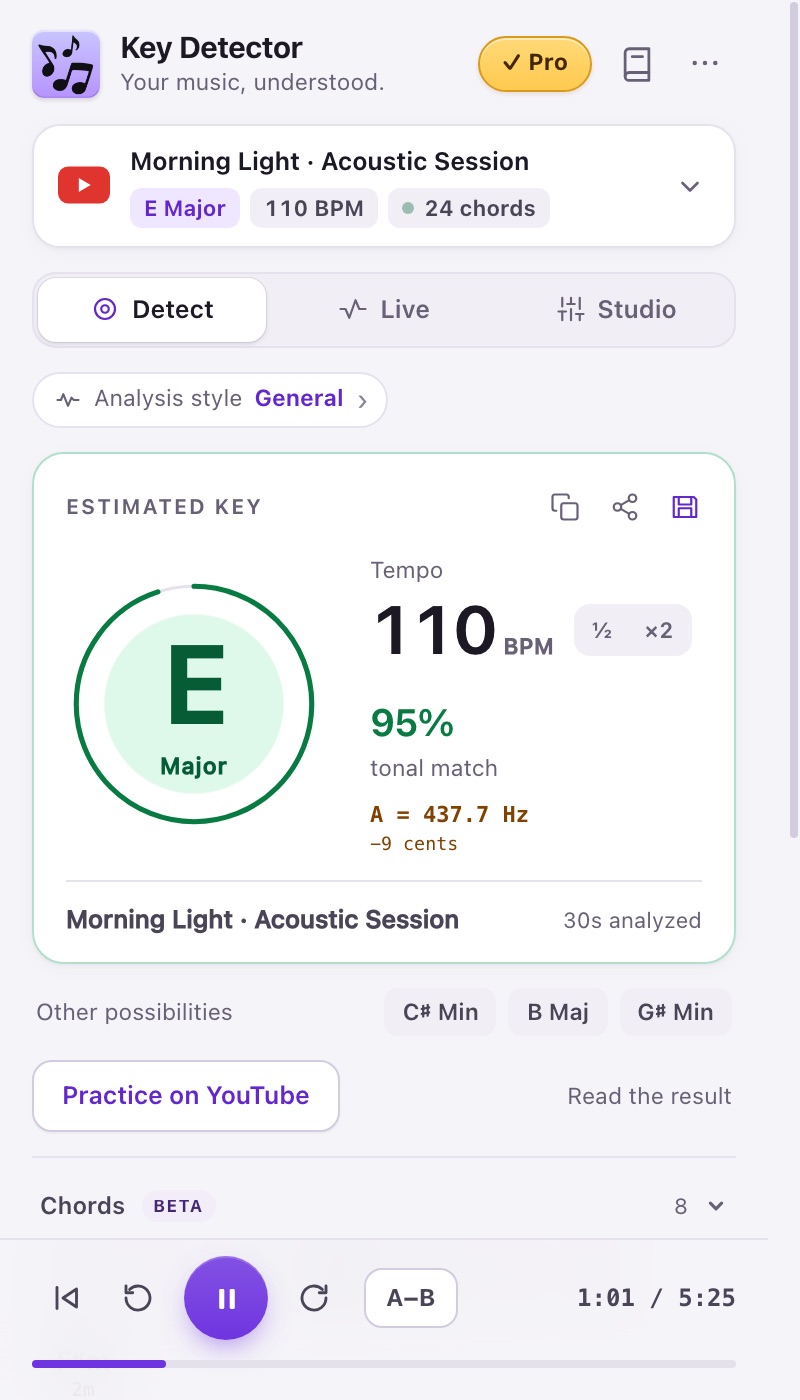
- Key combines a note and major/minor mode. Compare it with your instrument.
- Tonal affinity describes the model’s match. A displayed 95% is not a 95% probability that the key is correct.
- Check the alternative keys, especially after a sparse intro or a modulation. Analyze another passage.
- BPM is the pulse. If 70 sounds like 140, use ×2; use ½ for the opposite reading.
- General is the default style. If a worship passage sounds major but reads minor, try Worship and compare another passage; no style guarantees the right answer.
Expected result
You have a candidate key and a usable pulse, with uncertainty understood.
If it does not work
Live can compare passages as the music changes. A tuning estimate in Hz/cents is different from the song’s key; the microphone tuner is a separate tool.
Access
Detect/Live are Free at 15/30 seconds; Camelot notation is Pro/trial.