Before you start
YouTube and Chords on video (free on 3 songs a month). These new controls still require real Chrome/audio verification.
Steps
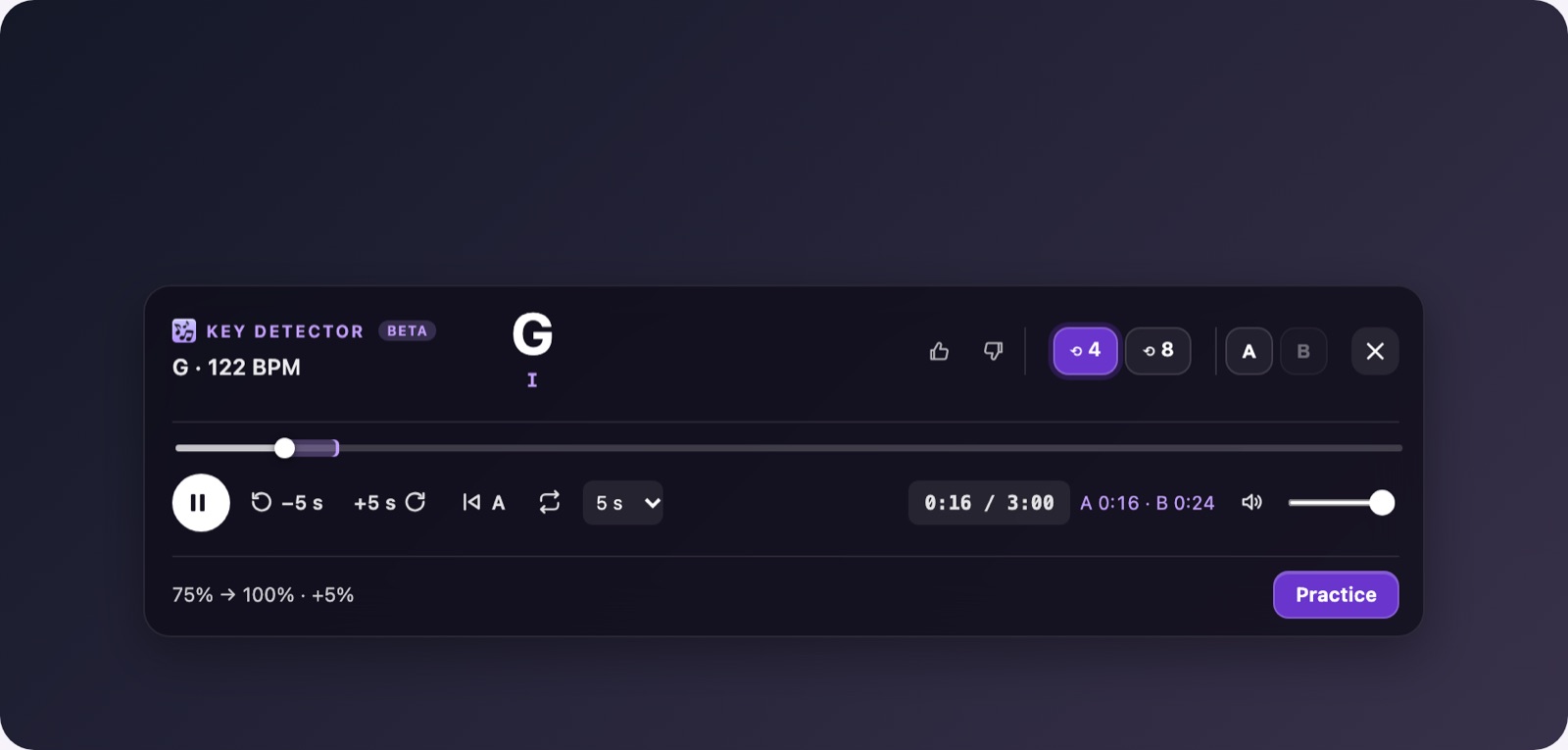
- Enable Chords on video in Studio. The playback row is below the chords, followed by Practice.
- Use Play/Pause. Select a seek interval of 1, 5, 10 or 30 seconds; the backward/forward buttons stay inside the active loop, or the song when no loop is active. Return to A requires a loop.
- Change Volume or Mute. Unmute restores the last nonzero level; this controls the video volume, not the instrument or microphone.
- Click or drag on the progress bar to jump. With a loop active, the jump stays inside A–B, which is shown as a band on the bar.
- Click the time display to cycle through elapsed/total, remaining/total and loop progress/duration. A dash means the duration or loop is unavailable.
- Use Tab to reach the playback controls. Left/Right seek by the selected interval; Home returns to A. Space/Enter activates the focused button. A focused volume slider or interval selector keeps its native keys.
- During Practice, playback/seek buttons are disabled. Cancel Practice first; it restores the earlier speed and playback/pause state and enables those buttons again.
Expected result
The controls show the actual video state. Changing volume or seeking does not change the chosen speed or pitch.
If it does not work
If playback fails, start it on YouTube and retry. Refresh/reopen Chords on video after a source change. Seeking is unavailable without a finite duration. These are local focus shortcuts; custom/global shortcuts and MIDI are still pending.
Access
Playback, the A–B loop and the side panel are free for everyone.